Run AVD, Windows 365 and Microsoft 365 for every client from one console
Deploy host pools from templates, deallocate idle session hosts on a schedule, and catch Intune and Conditional Access drift in every client tenant. Priced per client tenant, not per user.
Free for 1 client tenant and 5 users, no time limit · card authorized, not charged unless you upgrade
Built by an MSP that runs its own clients on it
Rugged Technology Services is an MSP in New Brunswick, Canada. We built rugged.sh to deploy and govern our own clients' Azure Virtual Desktop and Microsoft 365, and we still run them on it every day. Support tickets go to the people who wrote the code.
One real run: on 1 July 2026 it deployed a Windows 11 AVD session host into a live Azure subscription, reached Succeeded, deallocated it and tore everything down to zero resources, for under $0.20 of Azure spend.
The work you repeat in every tenant, in one place
Deployment, autoscale, drift and client reporting, without signing in to each client one at a time.
Deploy AVD and Windows 365 from templates
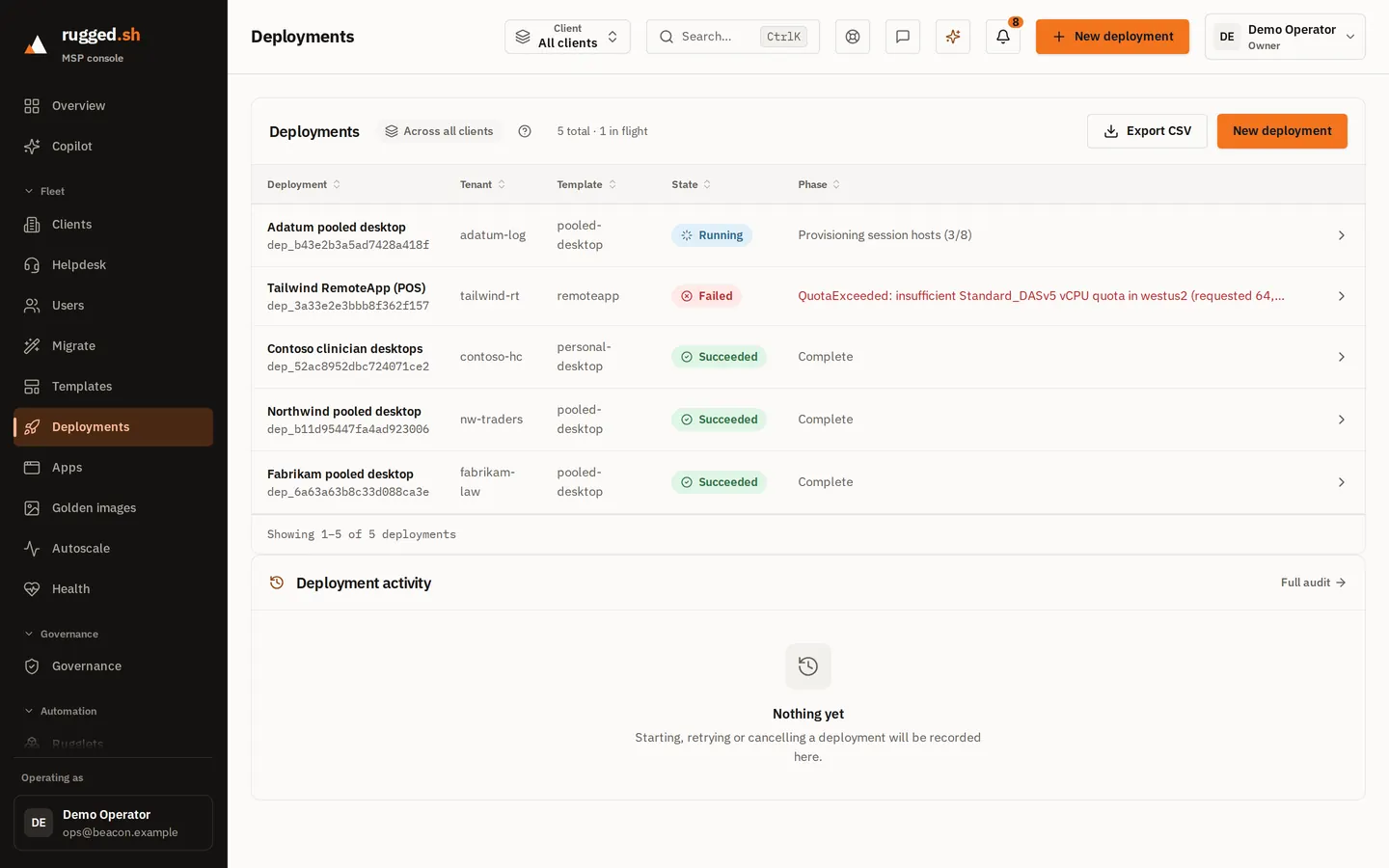
Pick a client and a versioned Bicep template, and the host pool deploys as a durable job you can watch and resume. Each deployment sits in its own Azure deployment stack, so a teardown removes exactly what it created. Windows 365 provisioning policies are created through Graph.Autoscale that deallocates idle hosts
Schedule and load-based profiles deallocate idle session hosts. Deallocated is the state that stops compute billing; a host shut down from inside Windows sits at Stopped and keeps billing. The projected saving per client is shown next to that client's fee, labelled as a model.Intune and Conditional Access drift, per client
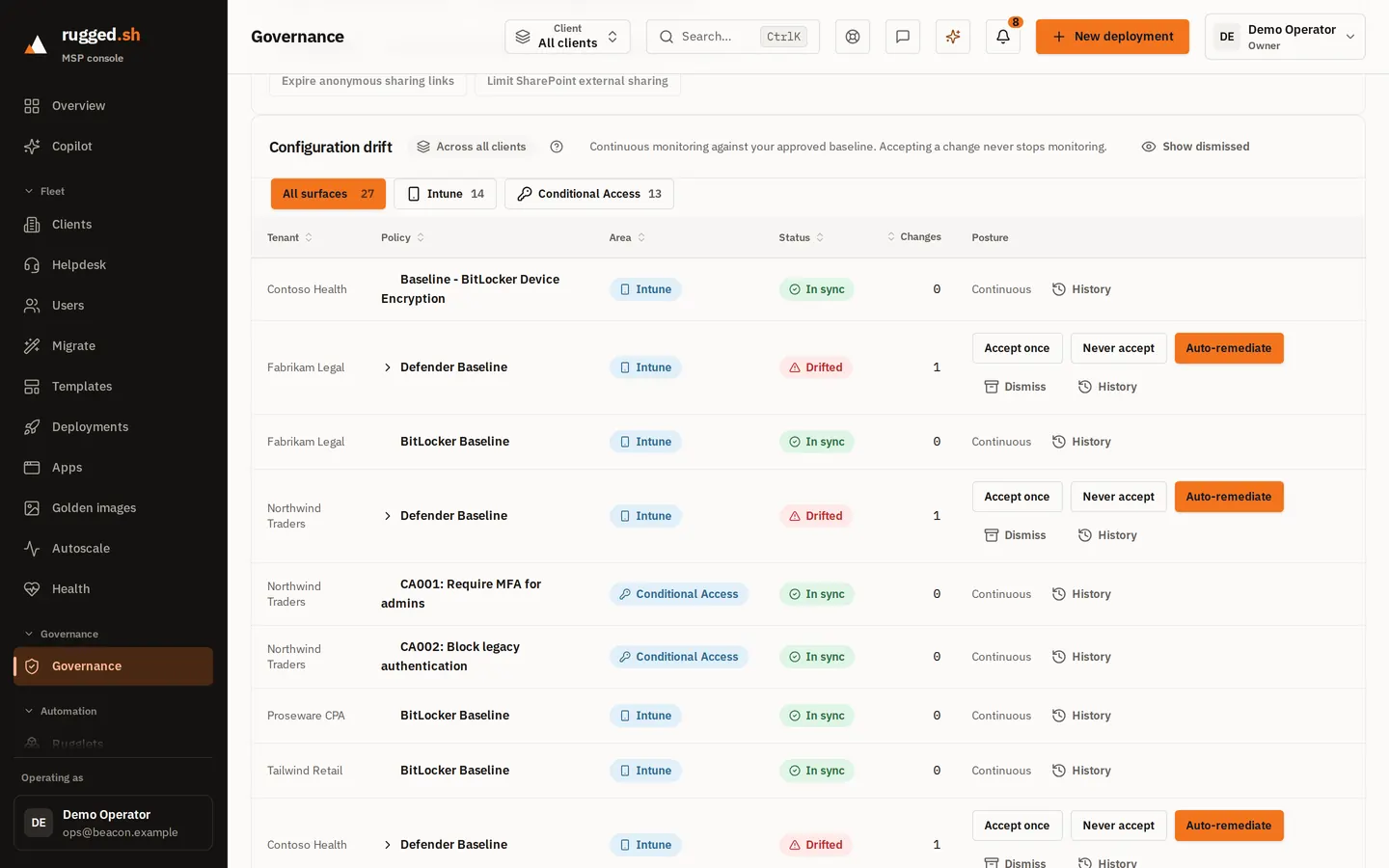
Record a client's Intune and Conditional Access configuration as a baseline. rugged.sh re-reads it on a schedule and lists what changed, client by client. Remediation writes the baseline back where the platform can, and flags the rest for a person.Every client from one console
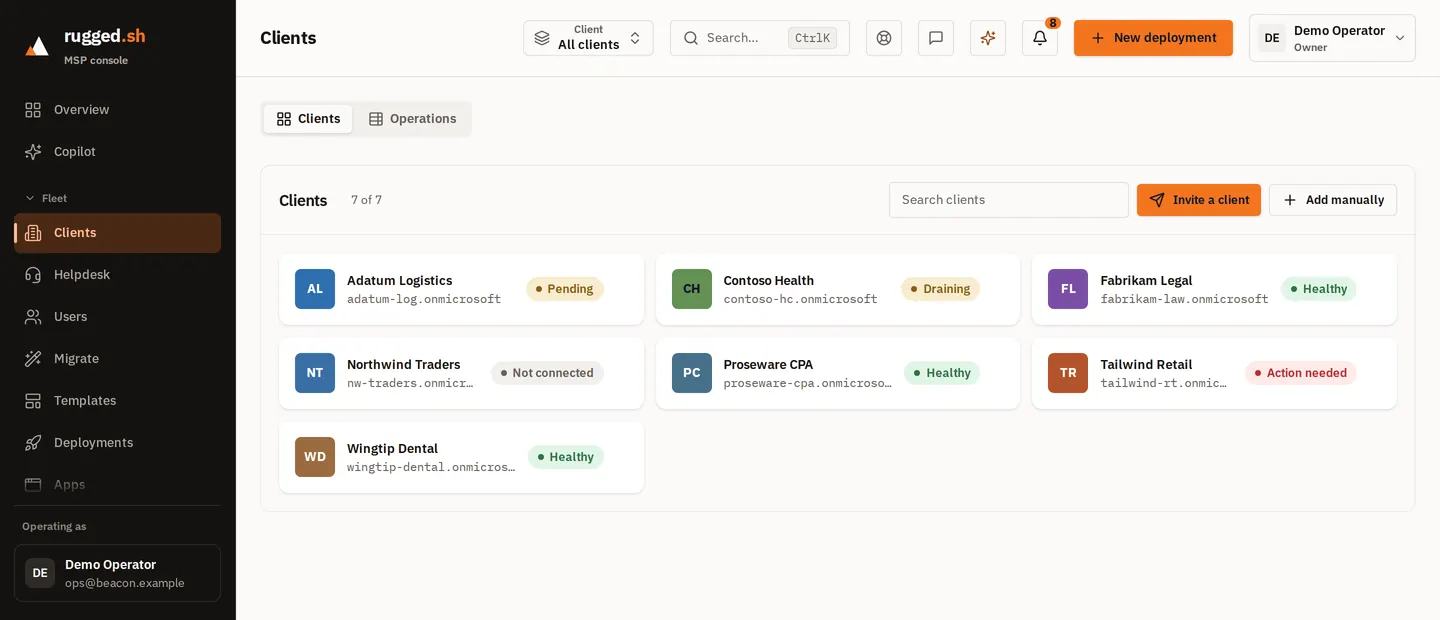
Pick a client and every screen scopes to their tenant; the fleet view rolls them all up. When some clients could not be read, the fleet view says how many it did read instead of passing a partial total off as complete.Quarterly reviews you can defend
A client-facing report per tenant: managed resources, seats and Cloud PCs, the modeled autoscale saving, and governance and drift counts. Spend is Azure's billed figure when Cost Management returns one and an estimate otherwise, and the report says which. Export to CSV or print.Automation catalog with an approval gate
Versioned scripted actions with a run history, for one client or the whole fleet. Destructive actions wait for an approval, and every script is scanned against a rule set mapped to MITRE ATT&CK before it runs.Security posture per client
Each client's security configuration is read on a schedule and scored. Scripts and templates are scanned line by line for attacker-technique markers, mapped to MITRE ATT&CK, and the findings stay attached to the action.Migration discovery for prospects
A read-only sweep of a prospect's Azure Virtual Desktop, Windows 365 and Microsoft 365 estate. It separates what rugged.sh can take over from what needs manual work, before you commit to a cutover date.Tickets and scoped helpdesk access
A ticket queue in the same console as the rest of the fleet, with support access you can limit to a subset of clients.
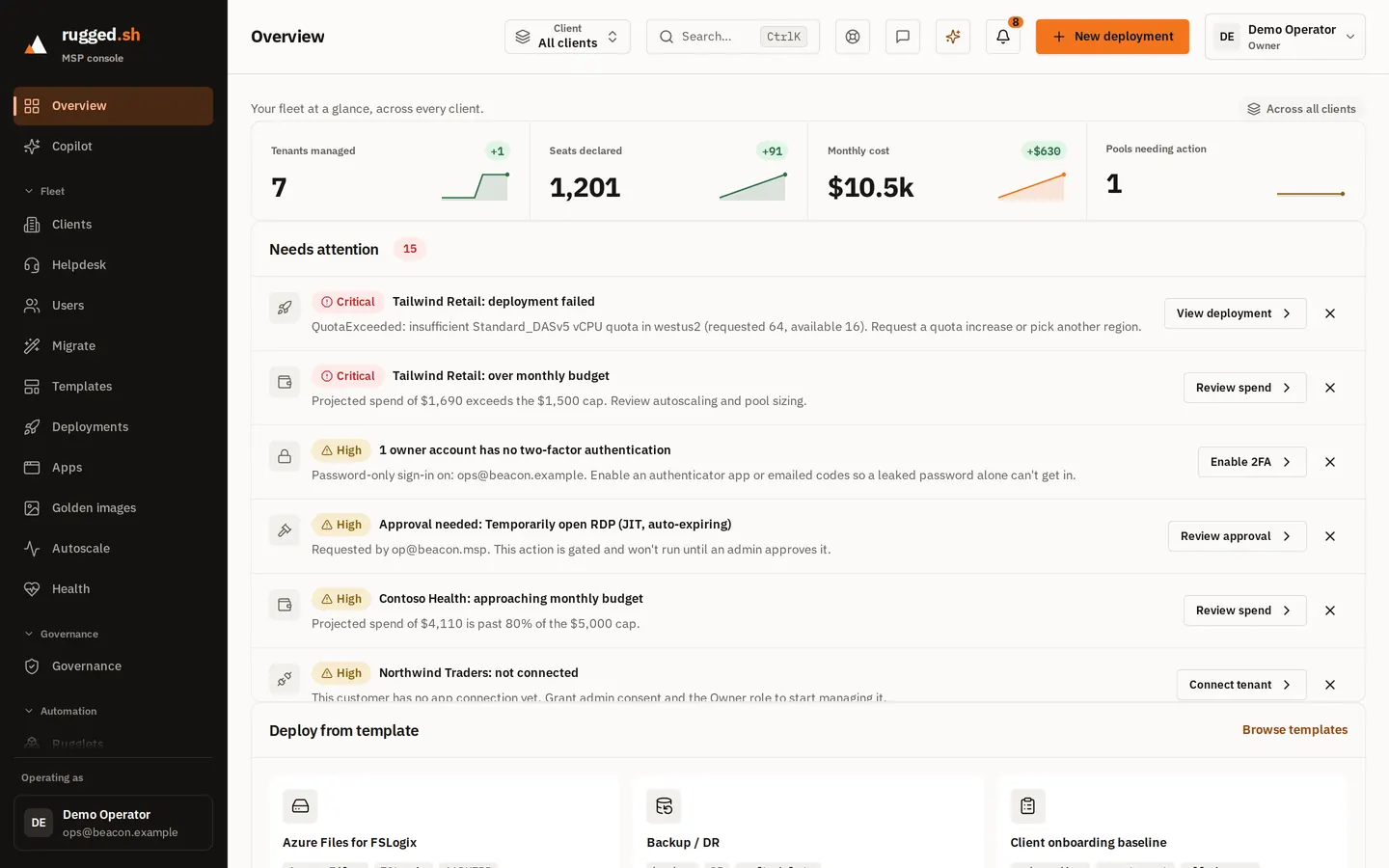
The real console, not a mockup
Captured from the running console. The tenant names, seat counts and dollar figures are fabricated demo data, not a customer's fleet.
Flat per tenant, not per user
One fee per client tenant per month, whatever its headcount: $10 for Microsoft 365, $50 for Azure, $60 for both. No per-user fees, no base subscription, no minimums.
| Plan | Per tenant / month | What's included |
|---|---|---|
| Microsoft 365 management | $10USD | Intune and Conditional Access baselines, drift detection, user and licence reads. |
| Azure (AVD / Windows 365) | $50USD | Template deployment, autoscaling, cost and utilization reporting. |
| Microsoft 365 + Azure | $60USD | Both of the above for one customer tenant. |
| Free tier | $0USD | 1 tenant and 5 users, with no time limit, running against your own Azure subscription. A card is authorized to verify the account and is not charged unless you upgrade. |
The plan sets the price per client, not which features you get.
| Client example | Typical per-user tool | rugged.sh |
|---|---|---|
| M365 only, 25 users | ~$75 | $10 |
| Azure, 30 AVD users | ~$360 | $50 |
| Azure, 100 AVD users | ~$1,200 | $50 |
Illustrative: the per-user column uses $3/user/month for Microsoft 365 and $12/user/month for Azure, round numbers chosen to show the shape of the curve, not any specific vendor's published price. Your break-even is our fee divided by the rate on your own quote; below that headcount a per-user tool costs less. All prices in USD.
Founder pricing: MSPs who start a paid subscription by December 31, 2026 keep these flat per-client rates ($10 Microsoft 365, $50 Azure, unlimited users) for as long as their subscription stays active.
Full pricing details · Flat per-tenant vs per-user, compared
What you are trusting us with
What it needs in a client's tenant
One app registration, approved once by the client's admin, holding 13 Microsoft Graph application permissions, each listed with its reason on the security page. Plus the Owner role on their Azure subscription for deployments. No GDAP relationship to renew, and the app is never given Global Administrator.What it stores, and where
Configuration and metadata about your clients: tenant ids, baselines, deployment records. The app has no permission to read their email, files or chats. Control-plane data is hosted in Azure Canada Central.Numbers you can put in front of a client
A value rugged.sh could not read shows as unknown, not zero. Estimates are labelled as estimates all the way into the client's quarterly review. In production the platform refuses to start if any component could invent a figure.Your clients stay yours
Every row and every operation carries your partner scope and the client's tenant scope, checked in the data-access layer and covered by tests. Client data is not pooled across MSPs and is not sold.If you leave
Disconnecting a client stops all token issuance for that tenant. Cancelling takes effect at the end of the billing period. What you deployed stays in your clients' tenants, because it is theirs, and your data is deleted or returned after a 90-day recovery window.Who answers support
The people who wrote the code. Support is a ticket channel in the console, usually answered within one business day, Atlantic time. There is no SLA and no status page yet, and we would rather say so.
Frequently asked questions
- What is rugged.sh?
- A multi-tenant console for MSPs that run Microsoft cloud for their clients. It deploys and autoscales Azure Virtual Desktop and Windows 365, and records and enforces Intune and Conditional Access configuration, in each client's tenant separately. It is built by Rugged Technology Services Inc., an MSP in New Brunswick, Canada, that runs its own clients on it.
- Who is rugged.sh not for?
- Single-tenant internal IT, since the whole model is cross-tenant. MSPs with no Microsoft cloud practice. Anyone who needs Exchange, Teams or SharePoint policy governance today: rugged.sh governs Intune and Conditional Access only. And anyone who needs GCC High or US Government clouds.
- How is rugged.sh priced?
- Per client tenant, not per user: $10 per client per month for Microsoft 365 management, $50 per client for Azure (AVD / Windows 365), or $60 for both. A client is billed only for the services you switch on for it. All prices are in US dollars (USD). There are no per-user fees and no minimums.
- What is founder pricing?
- MSPs who start a paid subscription by December 31, 2026 keep these flat per-client rates ($10 Microsoft 365, $50 Azure, unlimited users) for as long as their subscription stays active.
- Is there a free tier?
- Yes: 1 tenant and 5 users, with no time limit, running against your own Azure subscription. A card is authorized to verify the account and is not charged unless you upgrade.
- What access does rugged.sh need in my clients' tenants?
- A Global Administrator in the client's tenant approves one admin consent link. That grants the rugged.sh app 13 Microsoft Graph application permissions, each listed with its reason on rugged.sh/security. For Azure work the app is given the Owner role on the client's subscription, which is broad, and is what lets it deploy and tear down resources. There is no GDAP relationship or Azure Lighthouse delegation, the app is never given Global Administrator, and the client can revoke the consent from their own Enterprise applications at any time.
- What does connecting a client involve?
- Add the client in the console, send their admin the consent link, then assign the Owner role on their Azure subscription with the command the wizard generates. The console reads both grants back before the connection goes live. A Microsoft 365 only client needs the consent step alone.
- Where is my data stored?
- Control-plane data is hosted in Azure Canada Central. rugged.sh stores configuration and metadata about your clients, such as tenant ids, baselines and deployment records. Its app holds no Microsoft Graph permission to read email, files or chats.
- How does billing work, and what happens if I cancel?
- You pay by card through a Stripe checkout, and the bill follows your active clients and the services each one has on: $10 for Microsoft 365, $50 for Azure, $60 for both. A subscription stays on the price it was created against for as long as it stays active. Cancelling takes effect at the end of the billing period. Anything you deployed stays in your clients' tenants, and your data is deleted or returned after a 90-day recovery window.
- What Microsoft workloads does rugged.sh manage?
- Azure Virtual Desktop host pools and session hosts, Windows 365 Cloud PCs and provisioning policies, Intune and Entra Conditional Access configuration, and Azure cost data, per customer tenant.
- Can I try rugged.sh before moving my whole fleet onto it?
- Yes, on one client. The free tier is one customer tenant and five users against your own Azure subscription, so you can run it for real, but it cannot show you cross-tenant management. If that is what you need to see before deciding, email support@rugged.sh and talk to us.
Connect your first client
Free for one client tenant and five users, with no time limit. A card is authorized to verify the account and is not charged unless you upgrade.